Local by default
With the default Ollama provider, requests go only to your machine at
localhost:11434. Cloud providers are strictly opt-in.
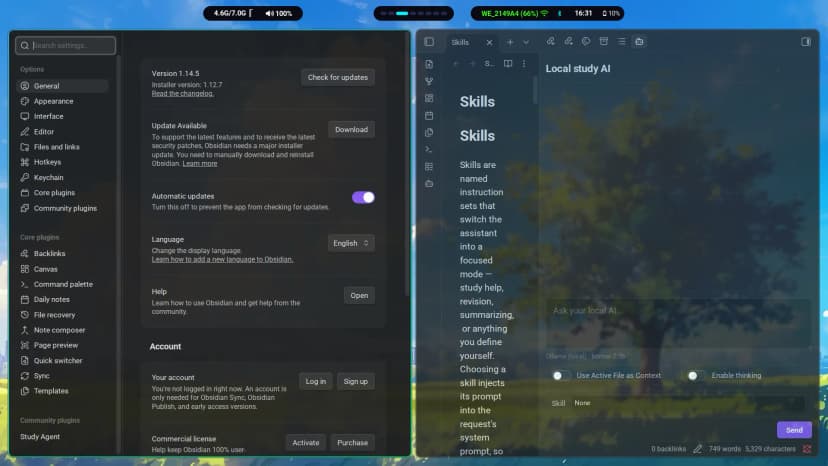
Study Agent adds a study-assistant sidebar to your vault. Ask questions, revise, and summarize — with a local Ollama model by default, so nothing leaves your machine. Prefer the cloud? Bring your own key for OpenAI, Claude, Gemini and more.
Already use Obsidian? Add Study Agent to Obsidian — or install manually in Get Started.
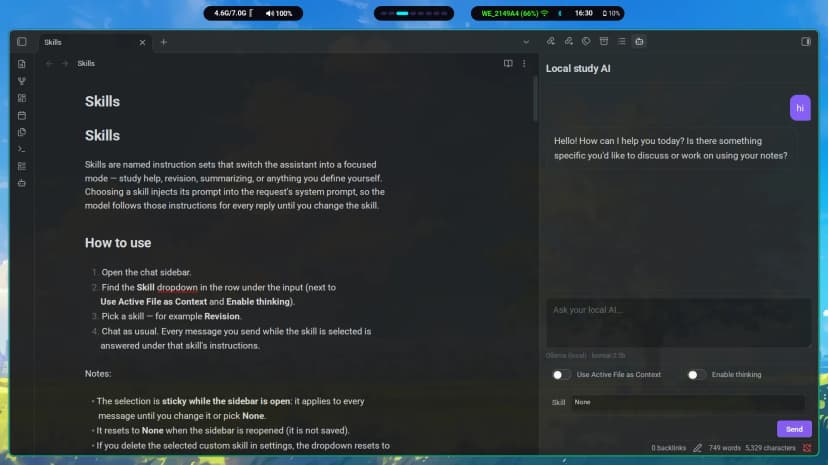
Built for studying inside the vault you already use — private by default, flexible when you want more power.
With the default Ollama provider, requests go only to your machine at
localhost:11434. Cloud providers are strictly opt-in.
Answers stream token by token with live Markdown — headings, tables, lists and code. Stop a reply mid-stream; partial text is kept.
Turn on Use Active File as Context and the assistant answers from the note you have open (up to 20,000 characters).
Built-in Study help, Revision and Summarize skills, plus custom skills you create yourself.
Ollama, OpenAI, Anthropic Claude, OpenRouter, Groq, Gemini, and any OpenAI-compatible server (LM Studio, vLLM…) — each with its own saved model.
A live Provider · model line under the input updates instantly
when you change settings — no guessing which model replied.
No account, no API key needed for local chat.
Install Ollama and pull a chat model, e.g. ollama pull llama3.2.
Copy main.js, manifest.json and styles.css into .obsidian/plugins/study-agent/ and enable it.
Open the sidebar from the ribbon icon, pick a model, and ask away. Cloud keys optional.
No telemetry, no analytics. Chat history lives only in memory and is cleared
when the sidebar reopens. API keys stay in your vault's data.json —
read the privacy notes before using cloud providers.